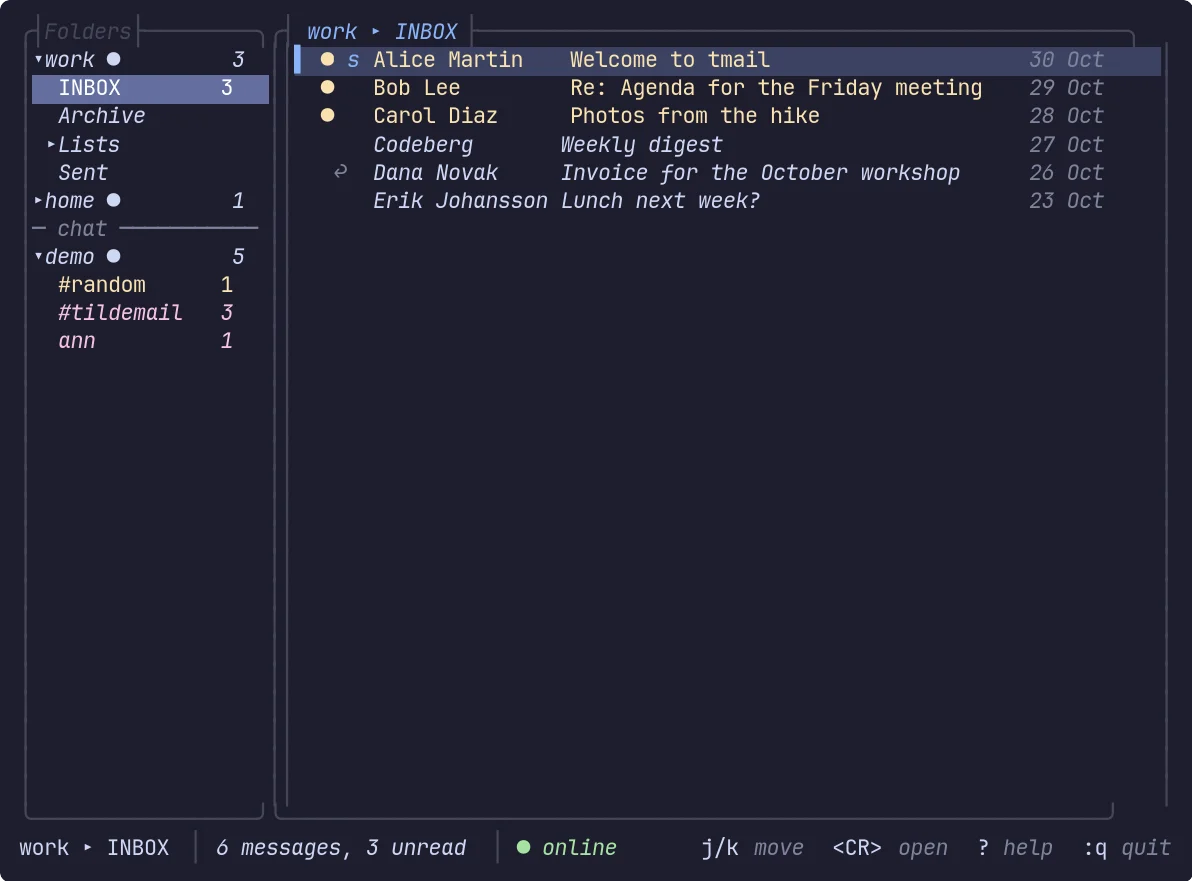
The mail in this picture, and in the ones below, is made up. The chat rooms come from a demo account.
Every year I set myself a small goal: one personal project that stays with me for the whole winter, with a deadline of the first day of spring. It is a tradition I keep for the pure pleasure of programming, trying things and learning something new.
I have been writing code for 25 years, and it is also my job, but I still get an almost ancestral satisfaction from taking a problem, thinking it through and finding a solution. I like making my brain work, getting it wrong (and swearing), trying again and ending up with something that did not exist before, at least not in the shape I had imagined.
And I try to do it without handing the writing of the code to an AI. Not because I am against using it, but because for me the fun is in the road.
The rules
Over the years I gave myself a few simple rules. The last one is recent.
- I must learn something. A language, a design pattern, an architecture, a technology I do not know.
- Two hours a day at most, and not every day. It has to stay a pleasure, not turn into a second job.
- It must be useful. Even only to me, but it has to solve a real problem.
- It does not have to be original. I am not here to reinvent the wheel to prove something. Last year I rewrote an Ultima Online server from scratch, Moongate. Ultima Online servers have existed for decades and some are surely better than mine. The point was to build one and learn by doing it.
- I can pick up an old project. Sometimes it is even more interesting to take back something I abandoned years ago.
- AI yes, with firm limits. I use it to write tests, to write documentation and as a sparring partner when I brainstorm. The code is mine.
This winter: tmail
This year I went for rule 5. tmail (the repository is called TildeMail) is a mail client for the terminal that I started years ago, abandoned, and recently brought back to life, moving it to Codeberg along the way.
I spend most of my day in a terminal and I try to keep my hands on the keyboard. I develop in Vim, my window manager is Sway, and I like tools that are small, fast and do not make me reach for the mouse. A mail client built around that way of working has been on my mind for a long time.
You start it by typing tmail.
What works today
It is already usable, and it does more than I expected when I started again:
- The interface. Folders and accounts on the left, the message list and a built-in reader on the right. Several accounts, IMAP and Maildir, conversations, new-mail polling.
- Vim-style keys. The default bindings are a Lua file that you can read and edit, there is a
:command line, and a which-key panel: press a key that starts a sequence and it lists what can follow. - Working on messages. Read, flag, delete, archive, move, attachments. Writing opens your own
$EDITOR: tmail has no editor of its own, on purpose. - A local cache in SQLite, so what you read is there offline, with full-text search on top of it.
- GPG through your own
gpg: the reader shows the signature and the encryption status of every message. - Lua. Scripts that react to new mail, rules, background jobs. It could not be missing: by now I put Lua in almost every project of mine like parsley.
- Eight themes, five languages for the interface, and .NET plugins.
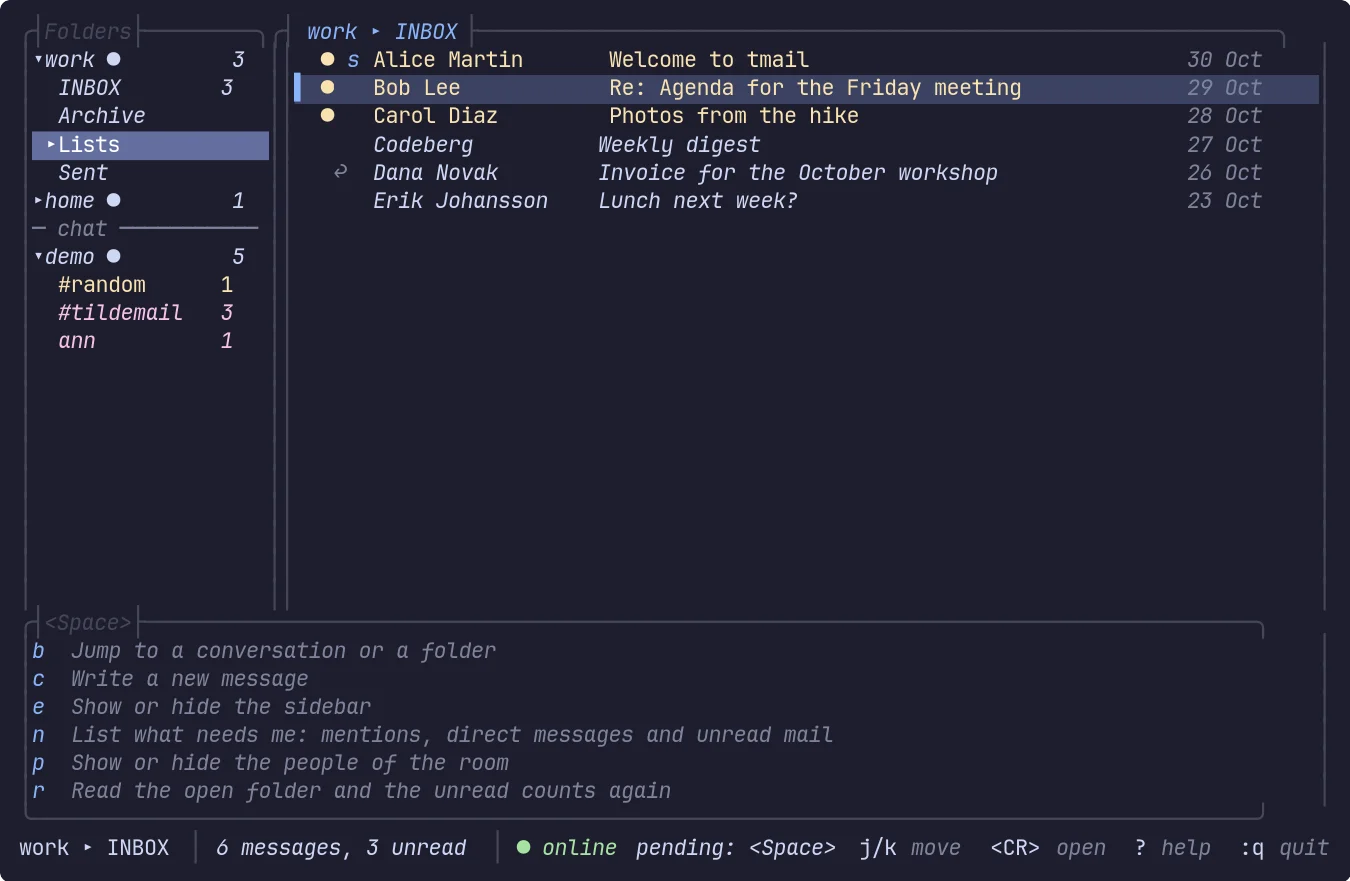
Press <Space> and wait: the panel lists what each key does.
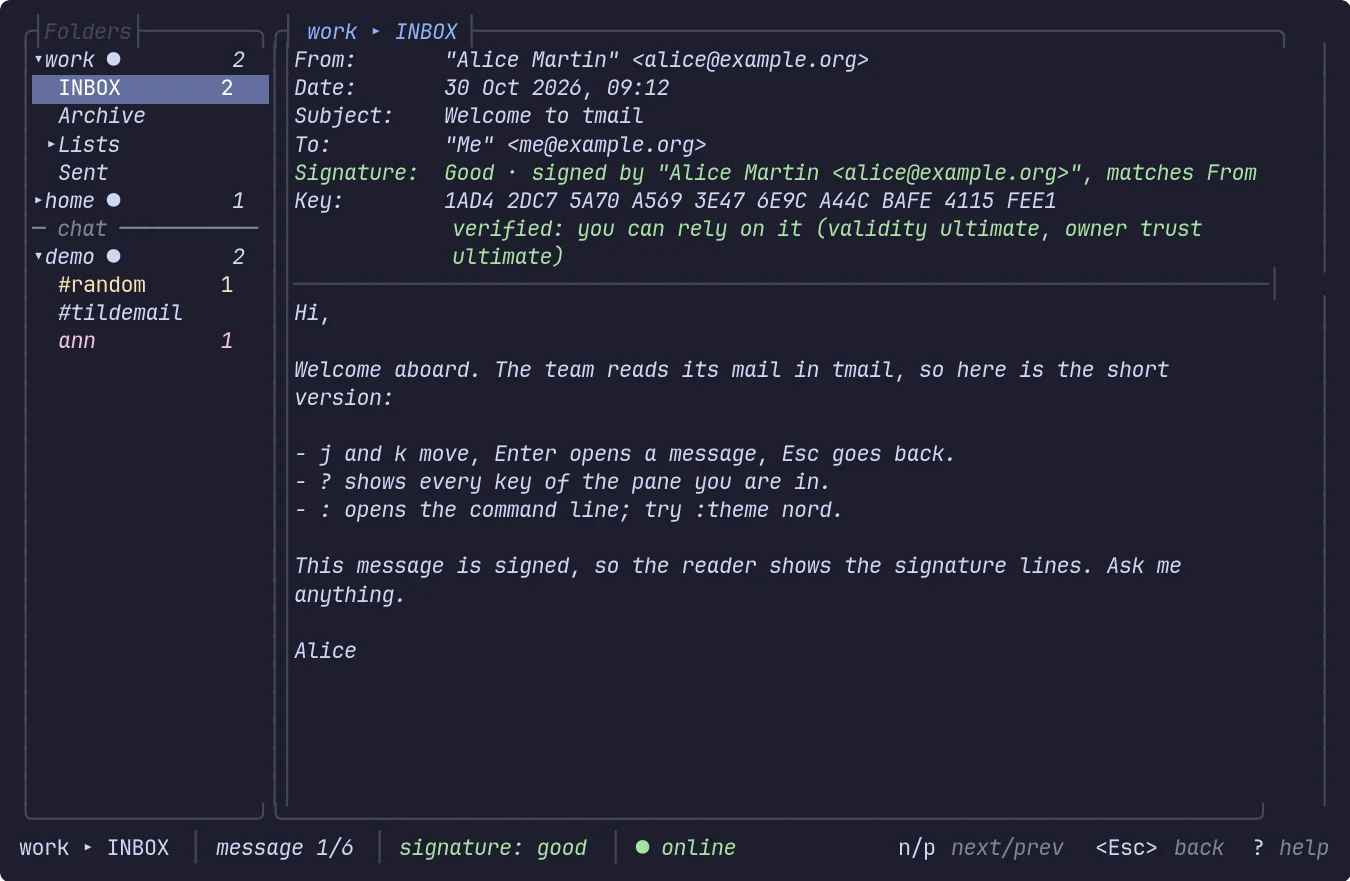
The reader on a signed message.
It is written in C# on .NET 10, it is free software under the GPL-3.0-or-later, and the code is at codeberg.org/squidd/TildeMail.
What I learned
The one I am happiest about: I had no idea that SQLite ships a full-text search engine (FTS5). It is what powers the search in tmail, and I learned it because of this project.
The next step
So far tmail grew as a mail client. Now I am thinking about a bigger step, and I am not sure it is a good one.
I would like it to also speak XMPP and IRC, inside the same interface, with the same keys. There is a seed of it already: chat accounts show up in the same sidebar under the mail accounts, a conversation opens as a stream with an input line, and ]u jumps to the next unread one.
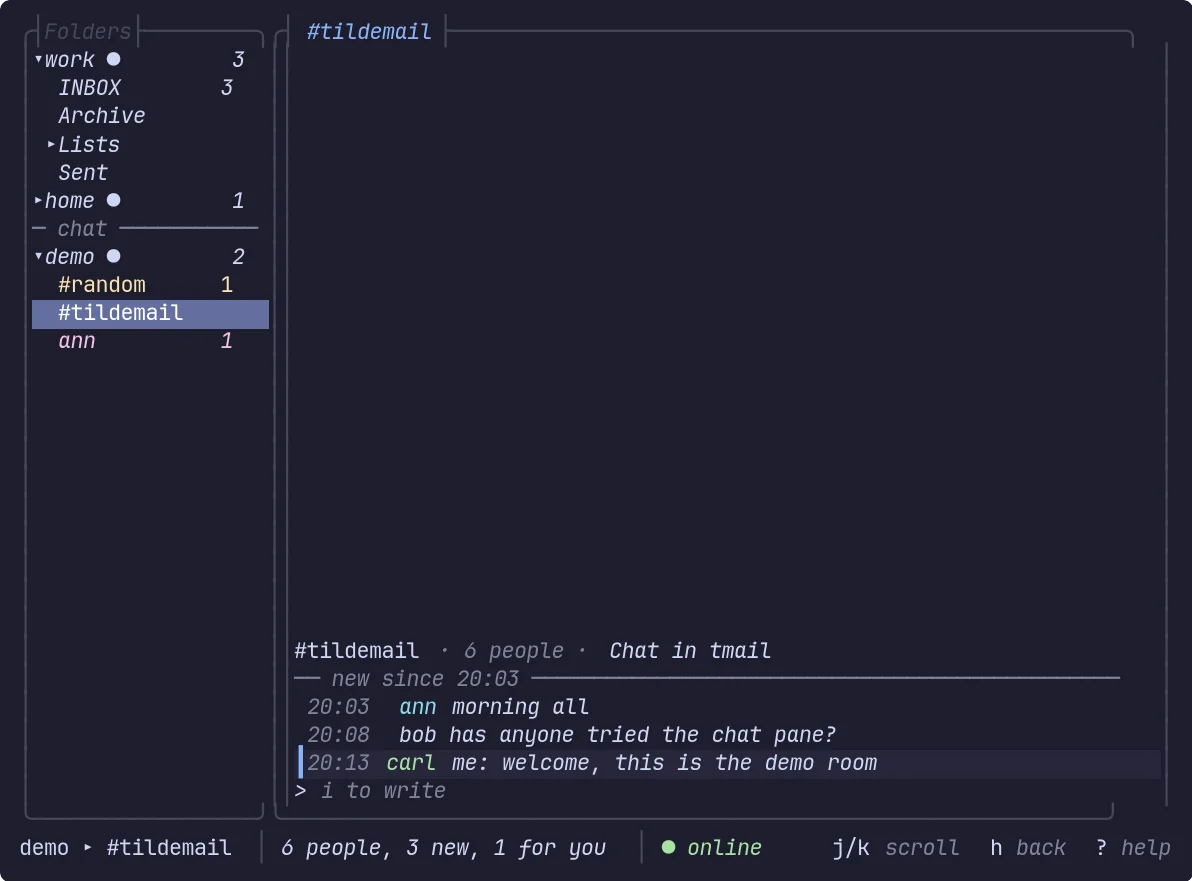
A chat room next to the mail accounts. It is a demo account from the sample plugin: no real XMPP or IRC client ships yet.
The reason is simple. I find it scattered to use so many different tools for things that, at bottom, belong together: reading, talking to people, getting news, and answering.
I am also wondering about RSS feeds, and there I start to ask where the line is between a complete tool and one that wants to do too much.
I do not want to build the umpteenth application that does everything and does each thing badly. What I want to find out is whether it makes sense to design one modular environment that gathers these things without losing the simplicity of a terminal tool.
What I would like to hear from you
- Does it make sense to put mail, XMPP and IRC in a single TUI?
- Would you add an RSS reader, or is that already too much?
- What is missing from the tools you use every day?
- Is there a feature you would really like to have in an environment like this?
I am not trying to change the world. I want a tool that makes sense to use, and to learn something on the way.
Opinions, criticism and suggestions are welcome, and so is a healthy I think you are making a mistake. Write below, or open an issue on Codeberg.
Thank you for reading this far.