Portals shipped on day one of this sprint. The rest of the week went into something less flashy: making the space around the player build itself, instead of being built once by hand.
Rooms that stream themselves in
RoomManagerComponent keeps a 9-room neighborhood loaded around the free camera when running in furnished mode (plain dungeon mode allows up to 30 rooms instead, since it has no furniture budget to protect). Generation runs on the JobSystem from devlog 2, capped at 4 pending jobs at once, and finished jobs drain nearest-first:
var completed = _pending.Where(entry => entry.Value.IsCompleted);
if (Furniture is not null)
{
    completed = completed.OrderBy(entry => Vector2.DistanceSquared(entry.Key, camera));
}
That ordering matters more than it looks: without it, a room on the far side of the loaded neighborhood could pop in before the one directly in front of the camera, because jobs don’t necessarily finish in the order they were scheduled. Sorting completed-but-not-yet-applied jobs by distance means what appears closest to the player is also what appears soonest.
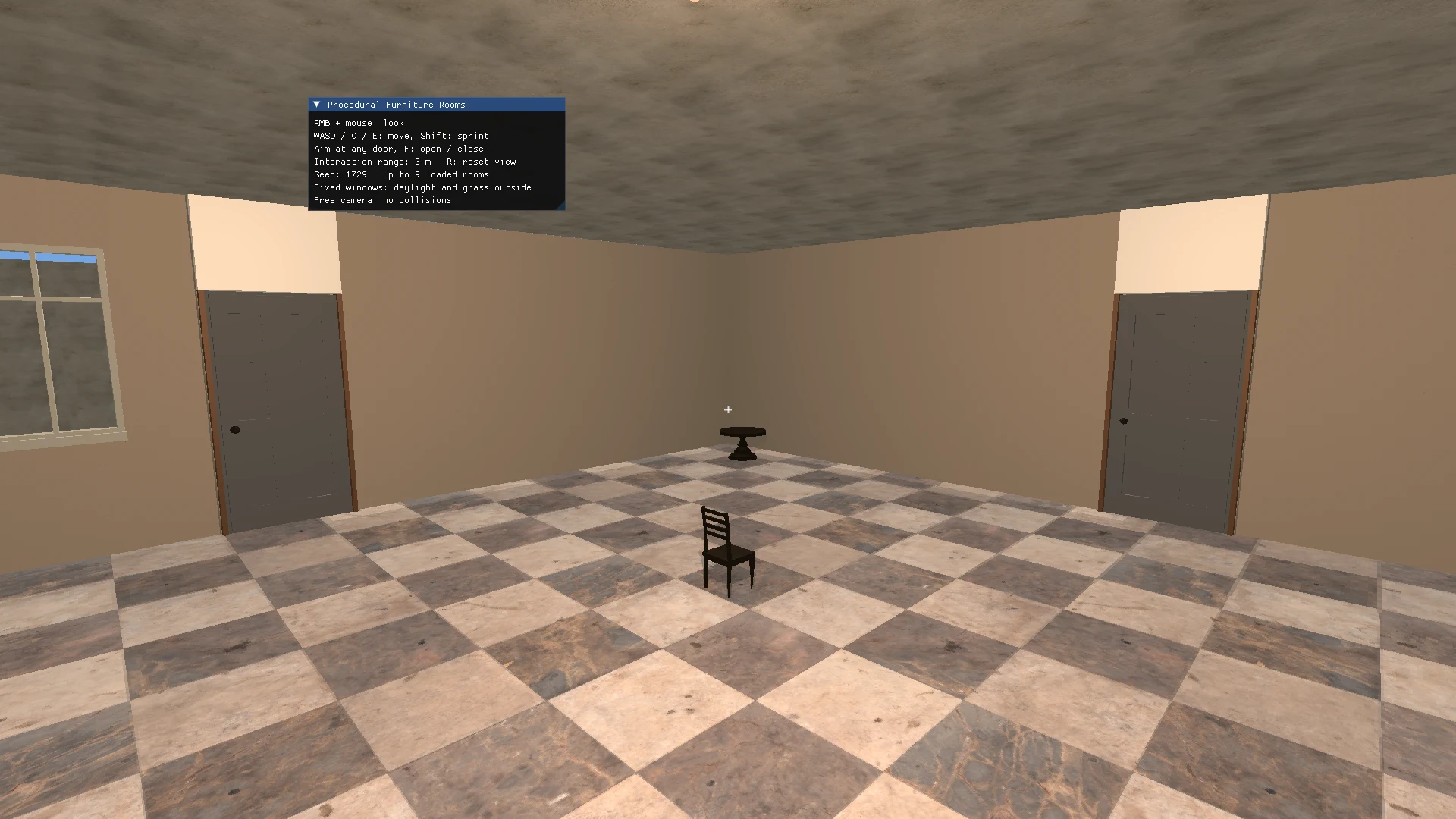
Two days later the rooms got properly dressed: shared PBR surfaces loaded once and reused across every room instead of per-room textures, fixed windows that show real daylight and a grass exterior instead of a flat color, and hinged doors. A door is a DoorComponent with a 90° open angle, an 0.8 second swing eased with smoothstep, opened from up to 3 meters away by aiming at it and pressing F. All deterministic from a seed (1729 in the demo), so the same walk through the same seed produces the same rooms in the same order, every time.
A day/night cycle, almost for free
The same day as the first portal commit also shipped DayNightCycleComponent: a configurable real-time-to-game-time ratio (180 real seconds per full day by default), driving sun position, sky color and ambient light continuously, with dawn/noon/dusk/midnight presets and hour-by-hour scrubbing exposed as demo controls. It slots into the existing rendering pipeline as a parameter the sky and lighting passes already consume, not a separate system competing with them for the sun.
UI that lives on a wall
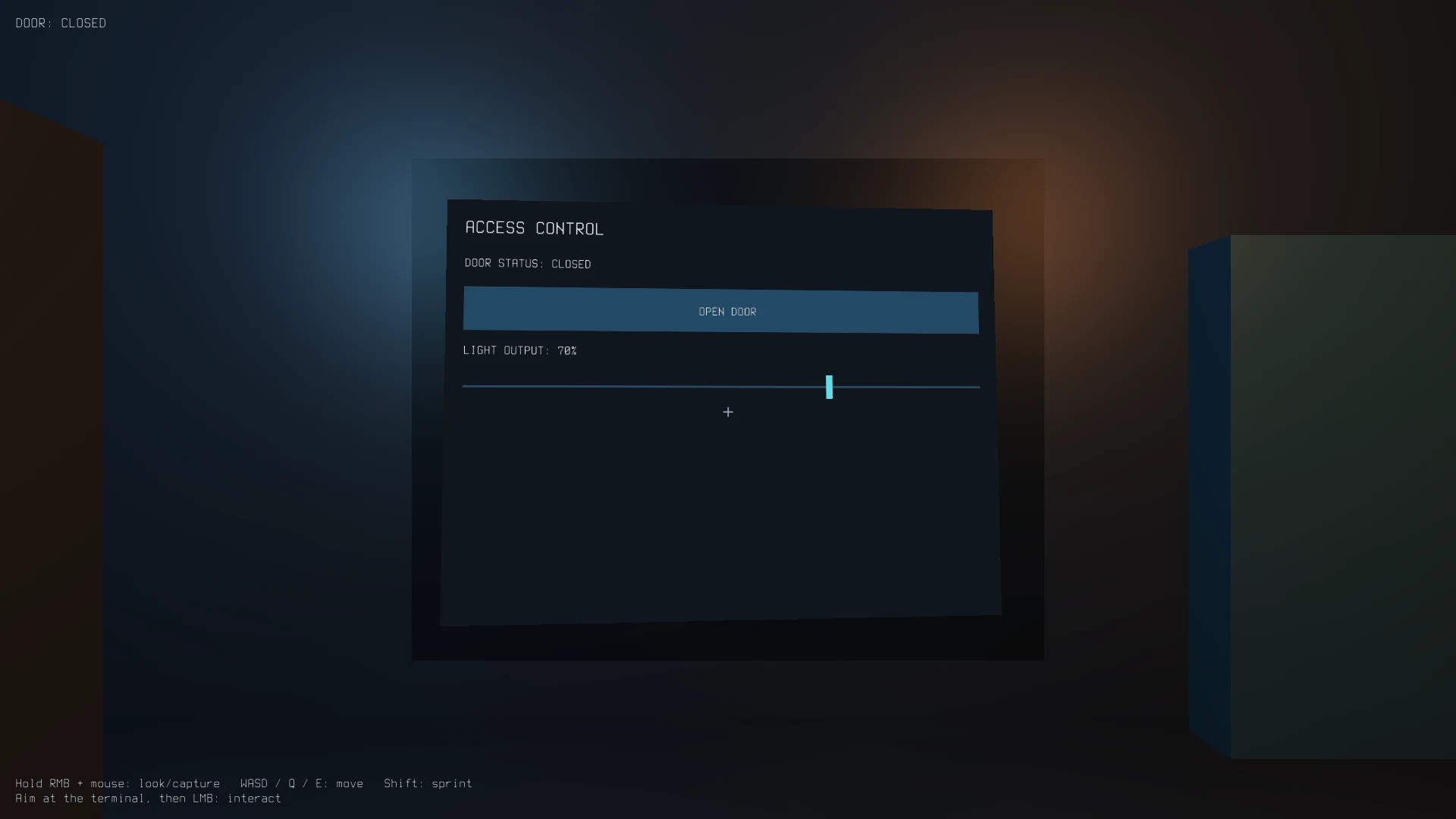
LyLy.UI, the retained UI toolkit, doesn’t know anything about 3D, Silk.NET, or the renderer. It paints into an abstract surface and reports hit-tests against abstract coordinates. WorldUiCanvasComponent is what makes the panel above possible without teaching the toolkit a single new concept: it renders the same canvas a screen overlay would use into a texture, then maps that texture onto a 3D quad with its own unlit, perspective-correct material.
Input is the harder half. A screen UI gets a mouse position for free; a UI sitting on a wall somewhere in the scene does not. WorldUiCoordinator casts a ray from the center of the screen, finds the nearest interactive panel it hits (a non-interactive surface in front of an interactive one still blocks it on purpose, since a world UI panel behind glass should not be clickable through the glass), checks it isn’t occluded by ordinary scene geometry, and then owns the click sequence until release the same way a real mouse-down/mouse-up pair would. Pressing F in front of a panel starts a camera focus session: the camera’s pose gets saved, the cursor is captured, all other game input is blocked, and the view eases into a framing of the panel over a quarter second. Escape reverses all of it.
Four posts, five months
This closes the retrospective. Devlog 1 and devlog 2 covered the May sprint that built the engine; this post and devlog 3 cover the five days in September that gave it the feature I actually started it for. The real git history behind all four has a three-and-a-half-month gap in the middle and nothing at all after 15 October until today. The code is at codeberg.org/squidd/LyLy, if the gap in my own commit history doesn’t put you off.