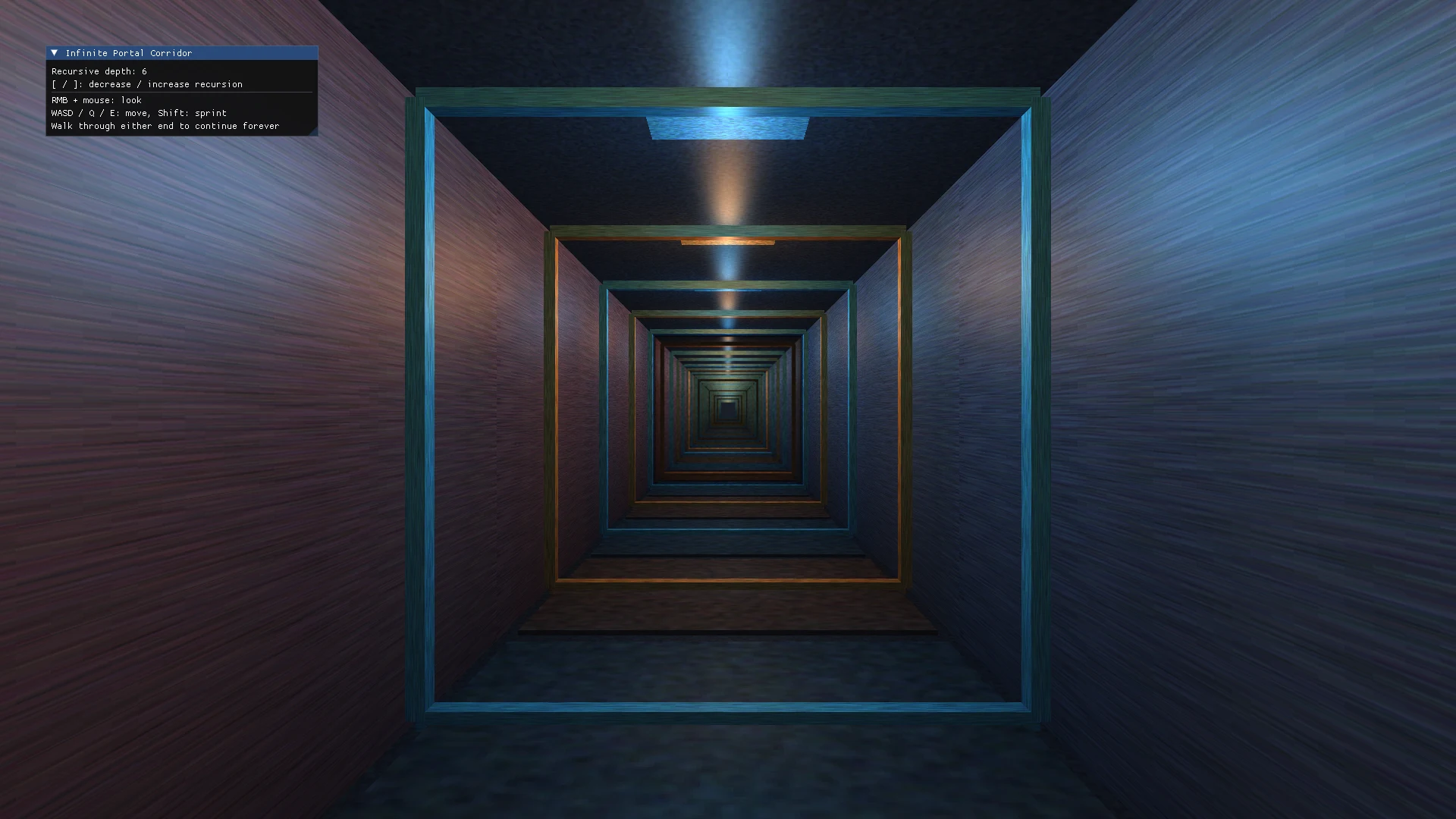
The last post was dated 20 May. This one is dated 6 September. Nothing happened to LyLy in between. No commits, no half-finished branches, just over three months of silence while the rest of life happened. Then, in five days, the project got the feature I actually wanted it for: portals you can walk through, recursively, with the view on the other side rendered live.
What a portal actually does here
A PortalComponent sits on a quad. It has a Destination, another GameObject somewhere else in the scene, and when the camera can see the portal’s quad, the renderer captures what the destination’s camera would see and paints it onto that quad. The screenshot above is the straightforward case taken to its logical extreme: two portals facing each other down a corridor, each one’s capture containing the other portal, recursively, until a depth limit stops it.
The limit isn’t a naive recursive function call. PortalCapturePlan walks the active portals breadth-first, queues a capture for each one that’s visible and has budget left, then renders deepest-first by iterating that queue in reverse:
AddSurfaces(scene, frame, frame.Projection, 8, Surfaces);
// Breadth-first allocation gives directly visible portals priority over nested views.
// Every child has a larger index, so reverse iteration renders deepest views first.
for (var index = 0; index < Captures.Count; index++)
{
    var capture = Captures[index];
    AddSurfaces(scene, capture.Frame, frame.Projection, capture.RemainingDepth, capture.Surfaces);
}
Root depth 8, a hard cap of 32 captures a frame, and every capture only happens if the portal actually passed a frustum and front-facing check first. The corridor demo exposes the depth as a live setting (the [ / ] keys in the screenshot) precisely because it’s the one knob that trades a recursive hall of mirrors for frame time.
Bigger on the inside
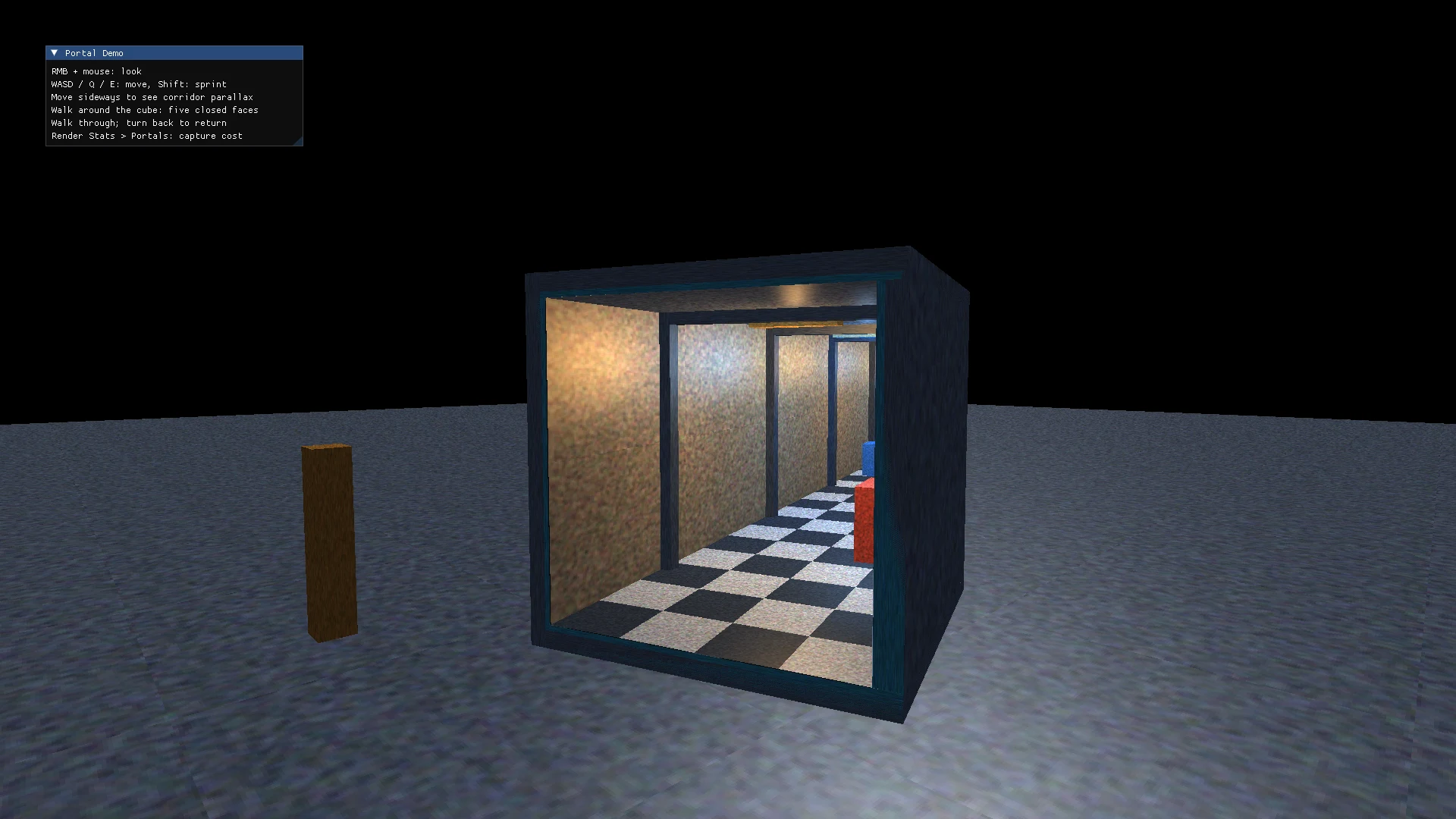
The same mechanism does something less showy, but more useful. A portal doesn’t have to lead somewhere that looks like it’s “through” the quad in any consistent geometric sense. The cube above is small. Walk around it and it has five closed, ordinary faces. Look through the sixth and you’re looking at a corridor that is, by any honest measurement, bigger than the box containing it. Nothing is being faked at the pixel level: the renderer is really drawing the destination scene from the right viewpoint, through the right clip volume, in real time.
Traversal is the other half. PortalTravellerComponent does a swept check each frame and teleports the object rigidly across the portal pair when it crosses, preserving momentum and the free camera’s mouse orientation. It’s opt-in per object, and it’s one crossing per frame, not a loop that could re-trigger itself.
The bug that took its own day
Three days after the first working portals, I spent a whole day on a single symptom: crossing a portal produced a one-frame flash to black. The cause was in the oblique near-plane clip. To keep the aperture visible right up to the moment of crossing, the shader was nudging each vertex of the portal quad onto the camera’s near plane individually:
// (the version that caused the bug)
if (gl_Position.w > 0.0)
    gl_Position.z = max(gl_Position.z, -gl_Position.w + 0.000001);
That’s fine for a quad facing the camera dead-on. It’s not fine for one at an angle, where an oblique aperture can straddle the eye plane: clamping vertices individually then clips a hole straight into the triangle an instant before you cross it, right when the aperture needs to still read as solid. The fix moved the clamp from vertices to fragments, scoped to the portal compositing pass only, using GL_DEPTH_CLAMP instead of fighting clip-space by hand, and carefully restoring whatever GL state was active before and after:
var depthClampEnabled = _gl.IsEnabled(EnableCap.DepthClamp);
_gl.Enable(EnableCap.DepthClamp);
try
{
    // ... draw every portal surface ...
}
finally
{
    if (!depthClampEnabled) _gl.Disable(EnableCap.DepthClamp);
}
Same visual goal, same “keep the aperture solid until the real crossing plane,” but decided once per draw call instead of once per vertex, which is the difference between a seam you can walk through and a seam that occasionally blinks at you.
Next: what the project did with the rest of that week, rooms that build themselves around you as you walk, day and night, and UI that lives on a wall instead of the screen.