I am a big Silicon Graphics fan. The first time I saw Jurassic Park I fell for the thing on the screen of that Unix workstation: a 3D file system navigator called fsn, where every directory is a pedestal and every file a box you fly over. I wanted to fly through my own directories like that, on today’s machines.

So I wrote it. It is called fsvng, it is Rust on Bevy 0.20, it is free software (GPL-3.0-or-later), and the code is at codeberg.org/squidd/fsvng. This is the devlog of the first version.
What it is
You point it at a directory and it scans the tree in the background while the landscape grows in front of you.
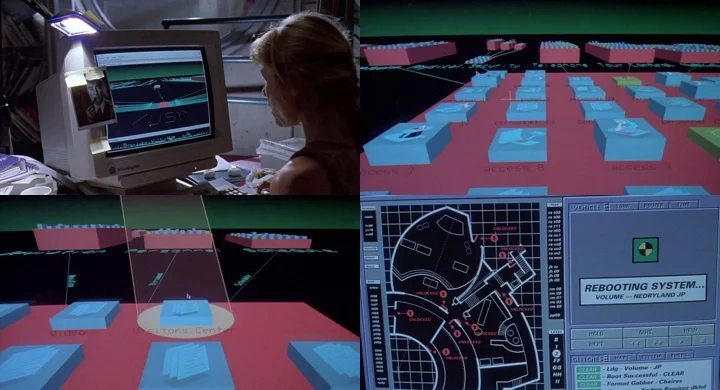
fsn in the film. This is what I was trying to get back.
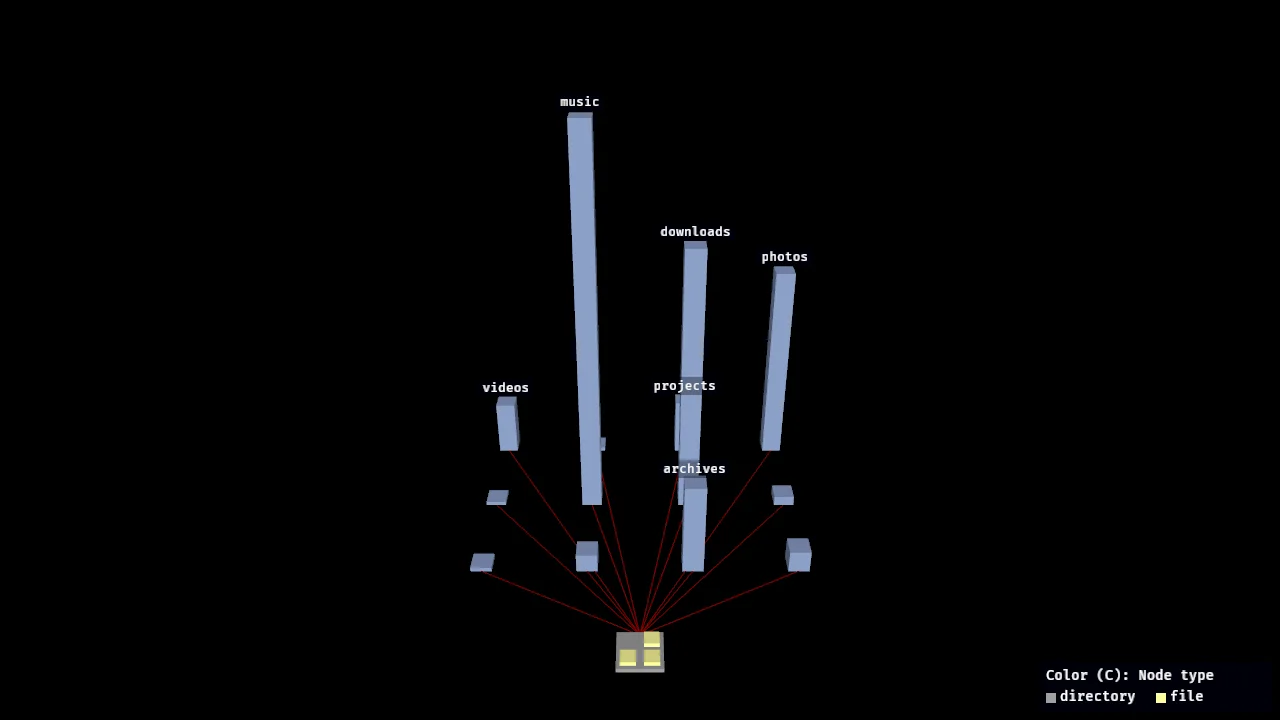
- A pedestal is a directory, and its height is the total size of the files directly inside it.
- A box on a pedestal is a file, and its height is the file size.
- Wires connect a directory to its subdirectories, so the hierarchy stays visible.
- You fly with the mouse and the keyboard, click something to select it and fly to it, and read its name, size and date in a small panel.
It never changes your files. The scanner only lists directories and reads metadata, it does not follow symlinks, it stays on the starting filesystem, and nothing in the program deletes, moves or renames anything.
First version: it works
Getting a scanned tree on screen in Bevy came quickly. Then came a fly camera, click picking, a highlight and an info panel. The colors followed fsn: a continuous gradient from red for the newest files to plum for the oldest, relative to the newest file in the tree.
It looked right on a demo tree of a few hundred files, and that became the first pull request.
The wall
Then I pointed it at ~/projects: 126,000 directories and 893,000 files.
It was unusable, and for three different reasons.
- Every box was the same height. I had kept fsn’s linear size scale, so a few files of several gigabytes set the scale, and all the other boxes ended up at the minimum height. One hundred percent of them. A landscape of flat tiles.
- The layout was a ribbon. Every directory put its children in a single row, so the whole tree came out 590,000 units long and 165 wide.
- Crossing it took hours. The fly speed was tuned for the demo tree: 30 units per second, at most 5,000.
I fixed the three of them one by one:
- The scale is still linear, as in fsn, but it is chosen so that the 99th percentile of the sizes reaches a fixed maximum height. Anything bigger is capped, so one huge file no longer flattens the rest. The info panel still shows the true size.
- Children are packed into several rows, so a wide directory becomes a roughly square block instead of a line.
- The fly speed, and its maximum, now follow the size of the tree.
That made the thing readable. It did not make it fast, because it was still drawing nine hundred thousand boxes.
Collapse, like fsv
At this point I went back to how fsv did it. fsv is the 1999 Linux clone of fsn, and I had a copy of version 0.9 in my Downloads folder. The answer was simple: it does not show everything.
In fsv, directories are collapsed until you open them. The tree is scanned once, so every size is known, but only the directories you expanded show their files and their children. A collapsed directory is a single block whose height is the size of its whole subtree.
fsvng works the same way now:
- At start only the root is expanded. Its subdirectories are small blue-tinted blocks.
- A click on a collapsed block expands it and flies the camera to its new place.
Xcollapses it again, with everything below it. - Layout, scene, labels and picking only deal with what is visible, so the cost follows the number of visible nodes and not the size of the tree.
On ~/projects, in a release build, the start-up scene is 11 pedestals, 3 boxes and 10 wires. A relayout after a click took under 35 microseconds with only the root open, and about 0.5 ms with a directory of 4,561 files expanded.
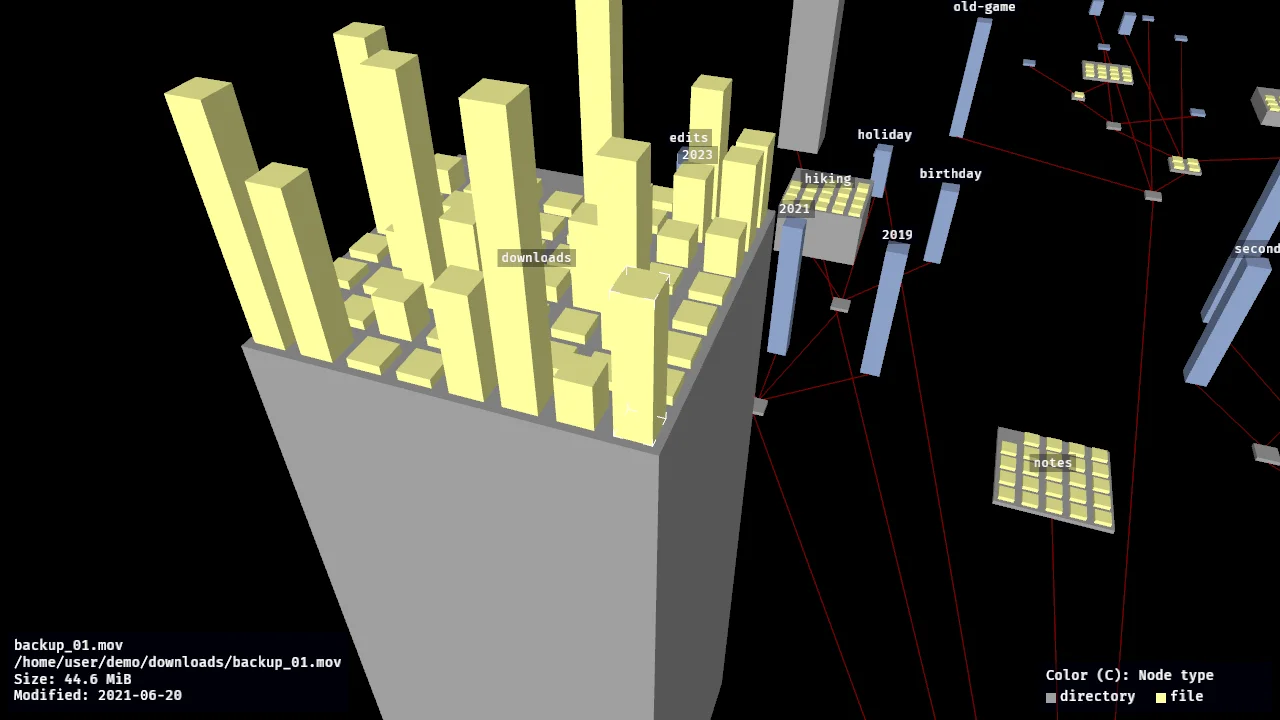
downloads expanded in a demo tree. The selected file has the white corner brackets, and its details are in the panel at the bottom left.
The colors
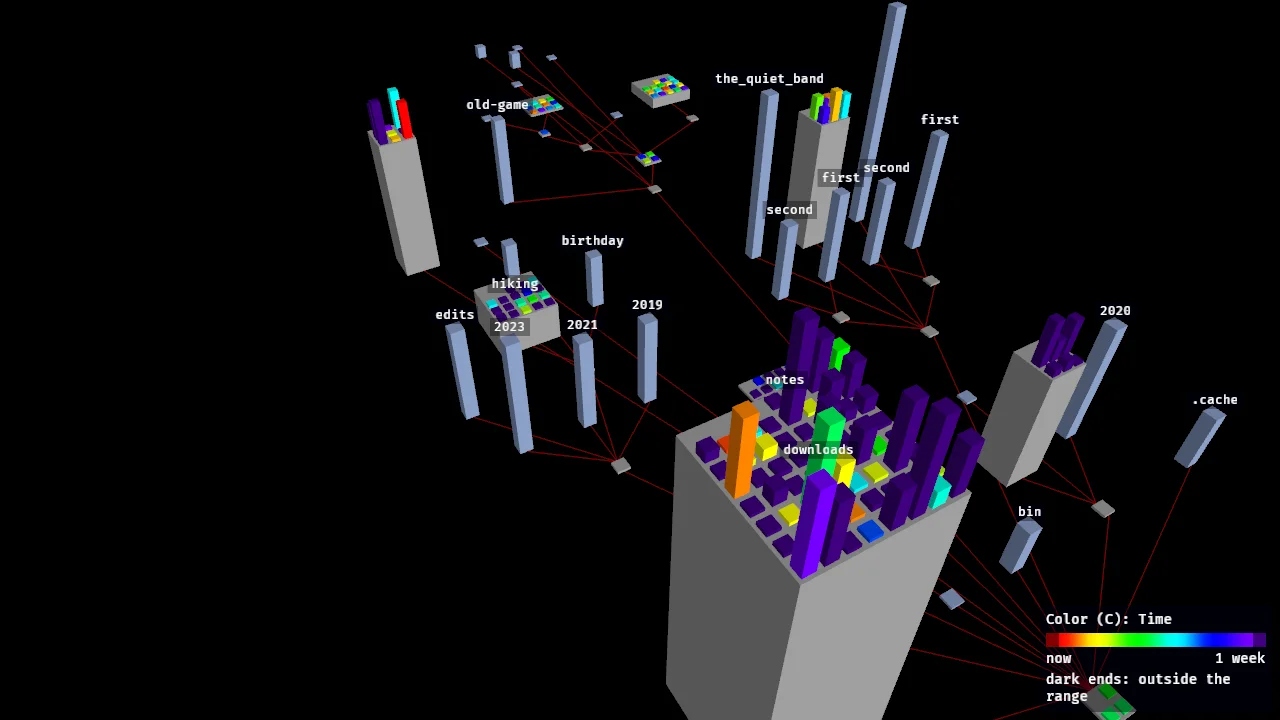
I also took the colors from fsv: black background, dark red wires, gray directories and pale yellow files by default. C cycles four modes for the boxes, and a legend shows the active one:
- Node type: every file the same pale yellow.
- Time: a rainbow over the last week. Red is a file changed just now, violet is one a week old, and everything outside the range is darkened.
- Name pattern: archives red, images magenta, audio and video white.
- Age (tree): fsn’s gradient, relative to the newest file of the scanned tree.
What I do not know yet
I would rather say it here than let you find out.
- Only Linux (Wayland and X11) has actually been run. A Windows binary builds, cross-compiled with mingw-w64, but I have never started it. There is no macOS binary.
- Expanding every directory of the big tree is not what the program is for. Laying it out took 117 ms, but I did not measure drawing it. Far from the origin, a layout that wide loses float precision and the camera can jitter.
- The scan keeps the whole tree in memory: about 420 MB at the end of the scan of
~/projects. I have not tried/. - Selection is click only, with no hover feedback. Labels can overlap, and they are not hidden by the geometry in front of them.
- The release pipeline on Codeberg is written and checked on a clean image, but it has not run on the real CI yet, so there are no release binaries for now. Build it from source:
cargo run --release -- <path>
The repository is public on Codeberg, with the full list of controls and limits in the README. If you ever sat in front of fsn, or wished you had, I would like to hear how it behaves on your trees.